 lockwire
From Idea to Robot
Plan your robot with an AI assistant. Lockwire checks every number, from the first parts list to every power-on.
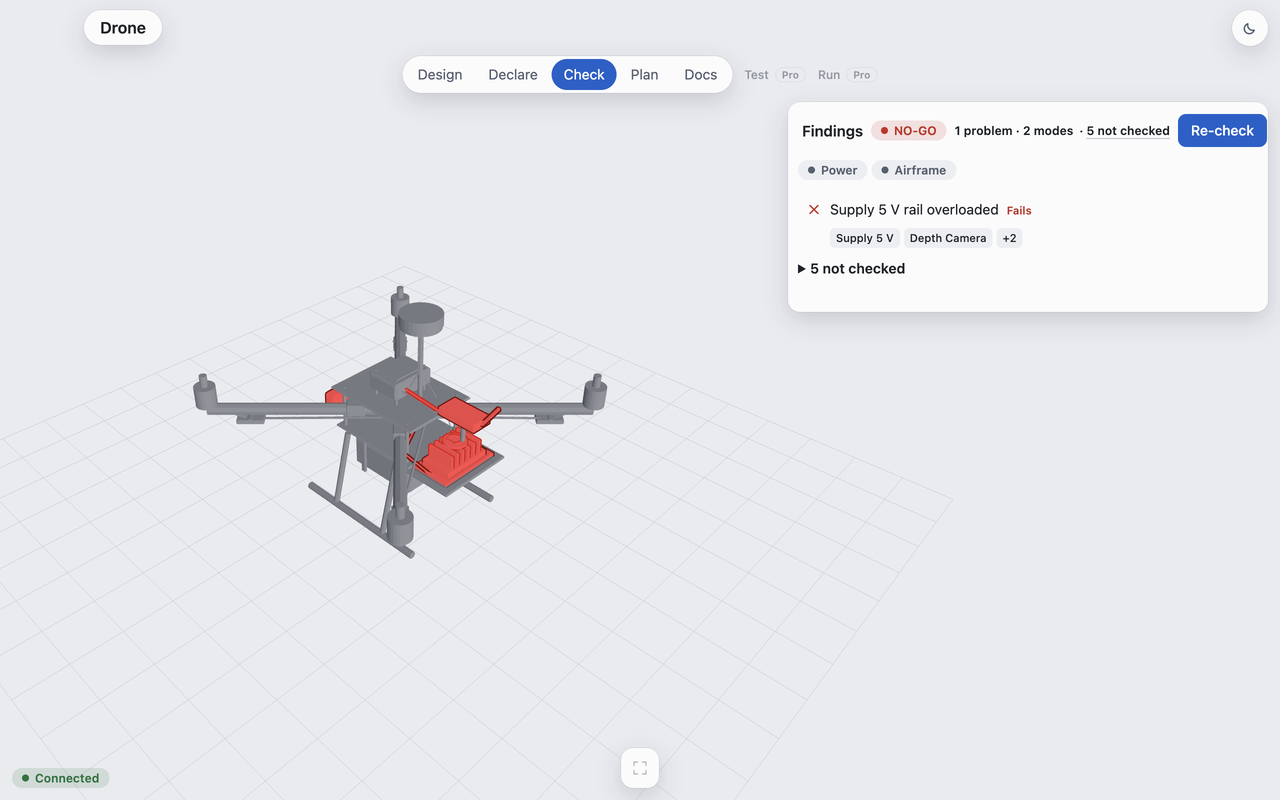
Drag to turn. Click a part.
Don't power it on yet - 2 things do not add up
Details
- Depth camera, Onboard computer, Telemetry radio: observed 35.20 W (draw mode: nominal), expected <= 15.60 W, over by +19.60 W (+126%)
- Depth camera, Onboard computer, Telemetry radio: observed 17.20 W (draw mode: 7W), expected <= 15.60 W, over by +1.60 W (+10%)
- 9 checks not scored (nothing declared to compare)
lockwire check --json run.json
Drone: based on Holybro X500 V2 PX4 reference quadrotor (Apache-2.0). Numbers come from lockwire 0.2.3 from PyPI, `lockwire start --example drone`.
What it catches
| Problem | How Lockwire knows | Real example |
|---|---|---|
| Overloaded power rail | Adds every part's draw on a rail and compares it with what the supply can give | Drone: 35.20 W on 15.60 W · +126% |
| Overloaded even in low-power mode | Adds every part's draw on a rail and compares it with what the supply can give | Drone: 17.20 W on 15.60 W · +10% |
| Missing numbers | Names every value it could not check, so a gap is never a silent pass | Drone: 9 not checked, each named |
| Sensors drifting after power-on | Learns each sensor's normal range from known-good runs, then flags readings outside it | Public PX4 flight log, Accelerometer Z: outside its learned normal range 7.6% of the time when healthy, 19.3% after the fault |
How it fits your team
One file for every number
Start from your URDF or a parts list. Every value carries its source.
On every change
A GitHub Action reruns the check, so a part swap can't quietly break the robot.
Before every power-on
A go/no-go gate compares the powered robot with its lockfile and its known-good runs.
Plans
Lockwire Free
Open source. Plan and check a robot yourself.
- The check: power, mass and bus budgets
- Command line and Python library
- Desktop app for macOS and Linux
- AI Assistant in the app: optional, off by default, your own Claude key
- GitHub Action for CI
pipx install lockwire
lockwire start --example drone
lockwire check
Needs Python 3.12 or newer (the Python that ships with macOS is older).
Try it free on GitHubLockwire Pro
For teams and firms with robots on the bench and in the field.
- Everything in Free
- The go/no-go gate on the powered robot
- Known-good baselines and drift checks
- ROS 2 bags and PX4 flight logs
- Set up with you on your own robot
Send us your parts list or URDF.
Within 48 hours you get back the numbers that don't add up. Free.